
Multiplication Games For Kids.
Speedymind LLCEducational
4.6658.00 Reviews
- Version
- 3.31.0
- Installs
- 1.00M
- Age Rating
- Everyone
Screenshots
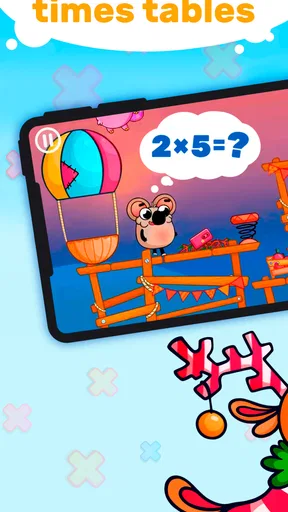
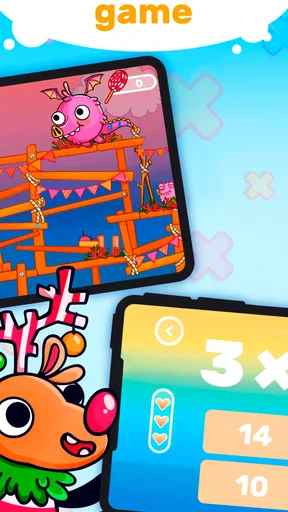
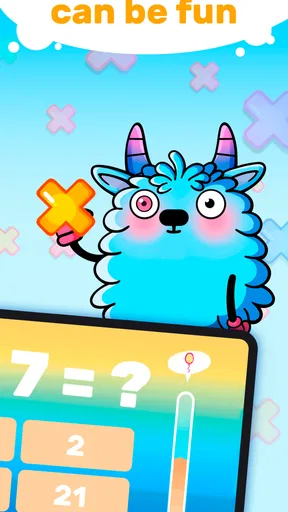
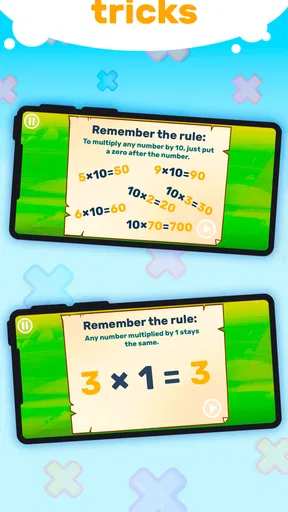
Our Review of Multiplication Games For Kids.
 Analysis by Appyee
Choosing a multiplication app is less about finding the flashiest game and more about matching the activity to the child. I look for something that makes repeated practice feel approachable, while still leaving room for paper, conversation and proper schoolwork. Multiplication Games For Kids, an educational game from Speedymind LLC, is aimed squarely at children who need to get more comfortable with multiplication tables. Its focus is narrow, which is a strength when times tables are the specific hurdle—but it also means this is not a broad maths course.
The game is free to download, rated Everyone, and has a 4.6 average from around 52,000 ratings. It has passed a million installs, so it is a familiar option for families looking for a child-friendly way to practise. I’d consider it most useful as a short, repeatable practice activity rather than a replacement for a teacher, workbook or parent explaining a new concept. Children who already understand multiplication but need fluency are likely to get more from it than learners who are still trying to understand what multiplication means.
What I would check before handing over the device
Before starting, I’d ask whether the child needs help with a particular table, confidence answering quickly, or a first introduction to multiplication. Those are different goals. A game can make repetition less tedious, but a child who is confused about groups, arrays or the relationship between addition and multiplication may need objects, drawings or an adult’s explanation first. I’d use the game after that foundation is in place, not assume that a lively activity will teach every missing step by itself.
I’d also think about how the child reacts to scores, rewards and timed challenges. The original experience presents multiplication as a series of games, with visual feedback and incentives to keep going. That can be a welcome nudge for a child who avoids drills; for a child who gets anxious about mistakes or speed, I’d sit alongside them at first and keep the focus on trying, not winning. A parent can make the same activity feel relaxed simply by treating a wrong answer as a prompt to work it out together.
Engaging Gameplay and Learning
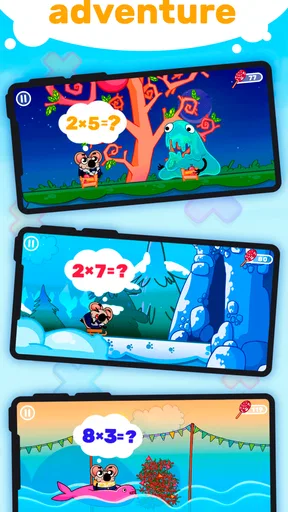
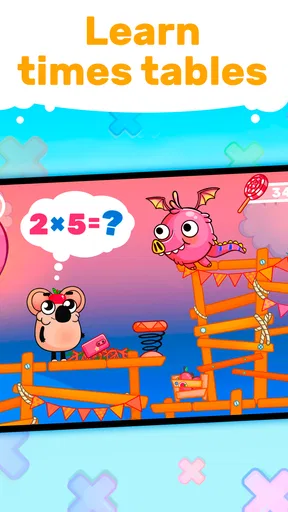
First off, let's talk about the gameplay. The app offers a variety of games that are not only fun but also tailored to help kids master their multiplication tables. From colorful animations to interactive challenges, it does a fantastic job of keeping kids hooked. As someone who has seen a fair share of educational apps, I can confidently say this app stands out for its balance between entertainment and education.
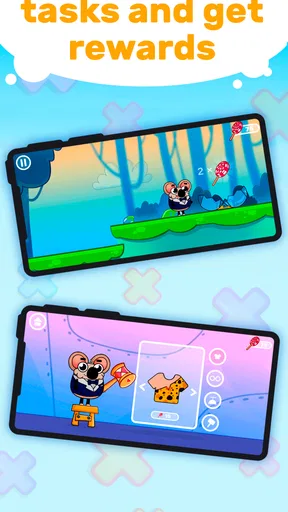
Each game is designed to reinforce multiplication skills in a way that feels more like play than work. The app uses a rewards system that motivates kids to keep going and learning. It’s like they're collecting badges of honor as they conquer each level. Who knew multiplying could be so rewarding?
Easy Navigation for Little Fingers
One of the things I appreciated about Multiplication Games For Kids is its user-friendly interface. The app is intuitive enough for kids to navigate without constant supervision. The buttons are large, the graphics are bright, and everything is laid out in a way that makes sense even to the youngest users. As a parent, it’s reassuring to know that my child can explore the app independently and safely.
Another plus is the lack of intrusive ads. Nothing interrupts the learning journey more than a sudden pop-up, and thankfully, this app keeps those distractions to a minimum. It’s a smooth experience from start to finish.
Customizable Learning Experience
What sets this app apart is its customization feature. Kids can start at a level that matches their current skill set and progress at their own pace. Whether your child is just starting to learn multiplication or needs a bit more challenge, the app adjusts to their needs. This personalized approach ensures that learning is neither too easy nor too difficult, keeping kids engaged without feeling overwhelmed.
Parents can also track their child’s progress, which is a nice touch. It’s always rewarding to see just how much your child is learning, and the app provides detailed reports to keep you in the loop.
Why Your Kids Will Love It
Let’s face it, kids are all about having fun. Multiplication Games For Kids turns what could be a monotonous task into a series of adventures. It’s like having a math tutor disguised as a game, and kids won’t even realize they’re learning because they’ll be too busy having a blast.
The app’s vibrant visuals and catchy sound effects make it an appealing choice for kids. Each game is a new adventure, and the variety ensures that they won’t get bored easily. My child was particularly fond of the pirate-themed game, where solving multiplication problems helped them find hidden treasures. Arrr, matey! Who wouldn’t love that?
A routine that makes practice manageable
In everyday use, I’d keep sessions brief and give them a clear purpose. For example, after homework, a child who has been practising the sixes could open the game for a few rounds, then explain one tricky answer aloud. That small step matters: recognising an answer on screen is not always the same as recalling it later in class or using it in a word problem. Pairing play with a quick explanation helps reveal whether the child is remembering a fact or guessing from the pace of the game.
The progress reports are most helpful when treated as a conversation starter, not a grade. If a child appears to be moving smoothly through activities but still hesitates over a particular table away from the device, I’d return to that set for focused practice instead of simply increasing the difficulty. Conversely, if repetition is becoming frustrating, I’d pause and use counters or a sketch to rebuild the idea before coming back. This makes the adjustable pace a practical tool rather than a reason to push ahead automatically.
It can also work well during a small pocket of spare time, such as a quiet stretch before dinner, when a worksheet would feel like a bigger commitment. I wouldn’t use it as a way to occupy a child indefinitely: the point is purposeful repetition, and stopping while the child is still engaged is often better than turning practice into a long screen session. Families who want a full lesson plan, broad arithmetic coverage or a carefully structured curriculum should look at a wider learning resource alongside it.
Where other kinds of practice may be better
Compared with flashcards, this game has a more playful presentation and can be easier to persuade a reluctant learner to try. Flashcards, however, are quicker to adapt: an adult can immediately remove mastered facts, revisit just the difficult ones, or ask the child to explain an answer. For that kind of targeted, face-to-face practice, a simple card deck may be the better fit. The app’s advantage is that it supplies a game-like setting and lets a child practise with less adult prompting.
Compared with a general maths app, the multiplication focus is useful when that is exactly what needs work, but it is also a limitation. A child who needs help with addition, fractions, measurement or problem-solving will need other activities too. And if the real difficulty is understanding why multiplication works, rather than recalling the tables, hands-on objects, drawings and worked examples are better first steps. I see this game as one tool in a small learning routine, not a one-stop answer to every maths concern.
There is also a trade-off between independent play and useful oversight. The interface is approachable, but younger children may still benefit from an adult helping them choose a suitable level and interpreting progress. I’d check in now and then rather than leave the child to chase rewards without noticing whether the underlying facts are sticking. That is especially worthwhile when a learner tends to tap quickly or gets discouraged by an incorrect answer.
Cost, expectations and the switch to another tool
The game is free, with optional in-app purchases ranging from $4.99 to $59.99 per item. I’d let the child try the free experience before considering any purchase, and I’d make the decision as an adult rather than in response to a child’s enthusiasm in the moment. The range is broad enough that checking the purchase details carefully matters; families should decide what they are comfortable spending and whether the available practice already meets their needs. There is no reason to pay simply because a child has started using it.
If you later move to flashcards or a workbook, the learning itself need not be lost. Ask the child to name a fact they found difficult in the game, then use that fact as the starting point for a few spoken questions or written examples. In the other direction, a child who has practised on paper can use the game as a change of pace. Switching methods is not a setback; it can show whether a multiplication fact has become flexible knowledge rather than an answer tied to one screen or format.
The current version is 3.28.0, and it requires Android 7.0 or later. That makes the operating-system requirement worth checking before installing on an older device. The age rating is Everyone, but I’d still make the first session a shared one for a young learner: not because the game is inherently difficult to navigate, but because choosing the right practice level and setting expectations are part of making educational screen time useful.
Why Your Kids Will Love It
Let’s face it, kids are all about having fun. Multiplication Games For Kids turns what could be a monotonous task into a series of adventures. It’s like having a math tutor disguised as a game, and kids won’t even realize they’re learning because they’ll be too busy having a blast.
The app’s vibrant visuals and catchy sound effects make it an appealing choice for kids. Each game is a new adventure, and the variety ensures that they won’t get bored easily. My child was particularly fond of the pirate-themed game, where solving multiplication problems helped them find hidden treasures. Arrr, matey! Who wouldn’t love that?
Final Thoughts
In a world where screen time is often frowned upon, Multiplication Games For Kids offers a productive way to use that time. It’s an app that parents can feel good about, knowing that their child is learning while having fun. The combination of engaging gameplay, ease of use, and the ability to customize the learning experience makes it a standout choice for any parent looking to boost their child’s math skills.
So, if you’re on the hunt for an educational tool that adds a splash of fun to multiplication, give this app a try. It’s a delightful way to help your child grow academically while keeping them entertained. Happy multiplying!
My recommendation
I’d recommend it to families whose child already has some grasp of multiplication and would benefit from a friendlier way to practise facts. It is particularly appealing when a child resists paper drills but enjoys colourful, goal-based play, and when an adult can occasionally connect the game’s practice to homework or everyday questions. The free starting point also makes it reasonable to test whether the style suits your household before deciding if anything more is needed.
I’d skip it as the main solution for a learner who needs a patient explanation of multiplication, a child who finds game rewards or challenge-based practice stressful, or anyone seeking a complete maths curriculum. In those cases, a teacher, hands-on materials, a workbook or a broader educational app may fit better. For focused times-table practice, though, its mix of games, adjustable progression and progress tracking gives it a clear role. I’d use it in short bursts, check that facts transfer beyond the screen, and keep it as a useful supplement rather than the whole lesson.
Verdict
Strengths of Multiplication Games For Kids.
- Engaging visuals keep kids entertained.
- Adaptive difficulty suits various skill levels.
- No internet required for gameplay.
- Simple interface for easy navigation.
- Provides progress tracking for parents.
Limitations of Multiplication Games For Kids.
- Limited language support options.
- In-app purchases can be distracting.
- Ads may interrupt gameplay.
- Some features require a subscription.
- Not challenging for advanced learners.
Other Releases by Speedymind LLC
View All
MathHero: Math Games for Kids
Educational4.6
Similar Picks in This Category
View All
Little Panda Policeman
BabyBus4.0

Monster Trucks Game for Kids 2
Raz Games4.1

Little Panda's Chinese Recipes
BabyBus4.4

Little Panda's Restaurant
BabyBus4.4

Little Panda's Ice Cream Games
BabyBus4.3

Baby Panda Care
BabyBus3.8
Frequently Asked Questions
What age group is Multiplication Games For Kids suitable for?
Multiplication Games For Kids is designed for children ages 6 to 12. The app offers various difficulty levels to ensure that both beginners and those who are more advanced in their multiplication skills can benefit from its educational content. The engaging and interactive approach makes it ideal for younger learners.
Does the app require an internet connection to function?
No, Multiplication Games For Kids does not require an internet connection for most of its features. The app is designed to be fully functional offline, allowing children to practice multiplication anytime and anywhere. However, an internet connection may be needed for initial downloads or updates.
Are there in-app purchases in Multiplication Games For Kids?
Yes, the app offers in-app purchases. While the basic version provides ample content for learning and practice, additional features or levels can be unlocked through purchases. These are entirely optional and designed to enhance the learning experience without being intrusive.
Is the app safe for children to use without parental supervision?
Multiplication Games For Kids is safe for children and is designed with child-friendly content. The app includes parental controls and does not contain inappropriate advertisements. Parents can feel confident allowing their children to use the app independently, though supervision is always encouraged.
How does the app make learning multiplication fun for kids?
The app uses interactive games, colorful graphics, and engaging challenges to make learning multiplication fun. It offers rewards and achievements to motivate kids and keep them interested. By combining education with entertainment, the app effectively helps children improve their multiplication skills while enjoying the process.
Play our best games!


